


For techies, the differences are obvious, but ordinary people often get confused by all these acronyms. Marketers and consultants add fuel to the fire by throwing around terminology, and even the boxes are adorned with similar letters. Prices, meanwhile, vary dramatically, leaving the reason for this extra cost unclear. In this article, we'll break down the differences between these technologies and help you determine which screen is right for you.
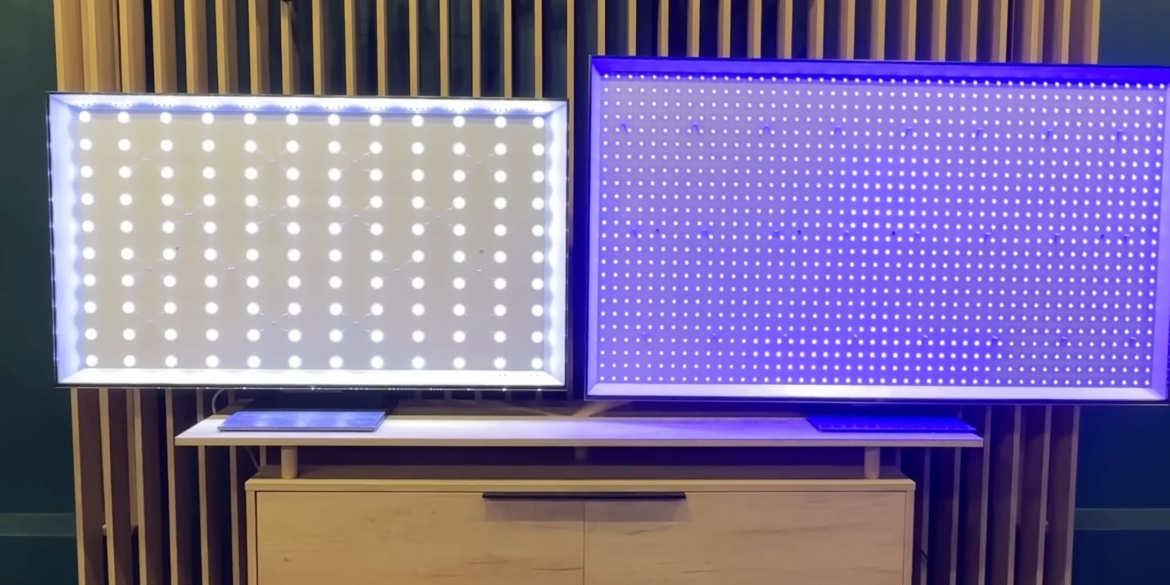
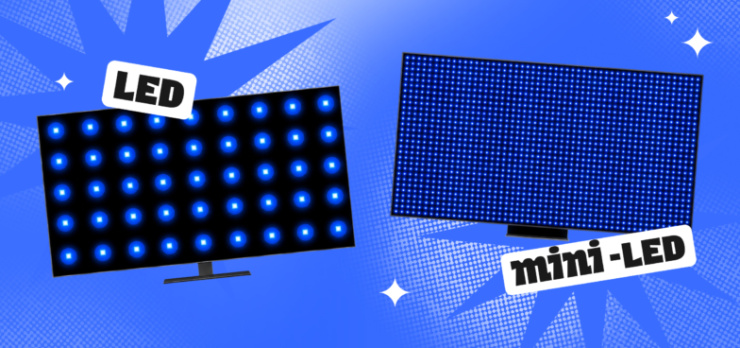
In budget models, they are placed along the edges of the case (Edge LED), which results in a thin profile but also backlight bleed in the corners. In more expensive models, the diodes are distributed in even rows behind the matrix (Direct LED). And in advanced LED displays, FALD (Full Array Local Dimming) backlighting is used, which can turn off groups of diodes in dark scenes. Due to the large size of the LEDs, these zones are relatively small, so gray halos still appear around bright objects on a dark background.
Mini-LED technology uses the same diodes, only tens of times smaller (approximately 0.1–0.2 mm). This allows for thousands of diodes to be placed in the same matrix area, increasing the number of independent dimming zones to hundreds or even thousands. Essentially, it's the same FALD carpet backlighting, but due to the density of the elements, it controls the light much more precisely, virtually eliminating glare around bright objects.
But you literally have to pay for a high-quality picture. The production of standard LED panels has long been established and is relatively inexpensive. Assembling a mini-LED substrate, however, requires thousands of small components and complex controllers, significantly increasing the final price of the device.
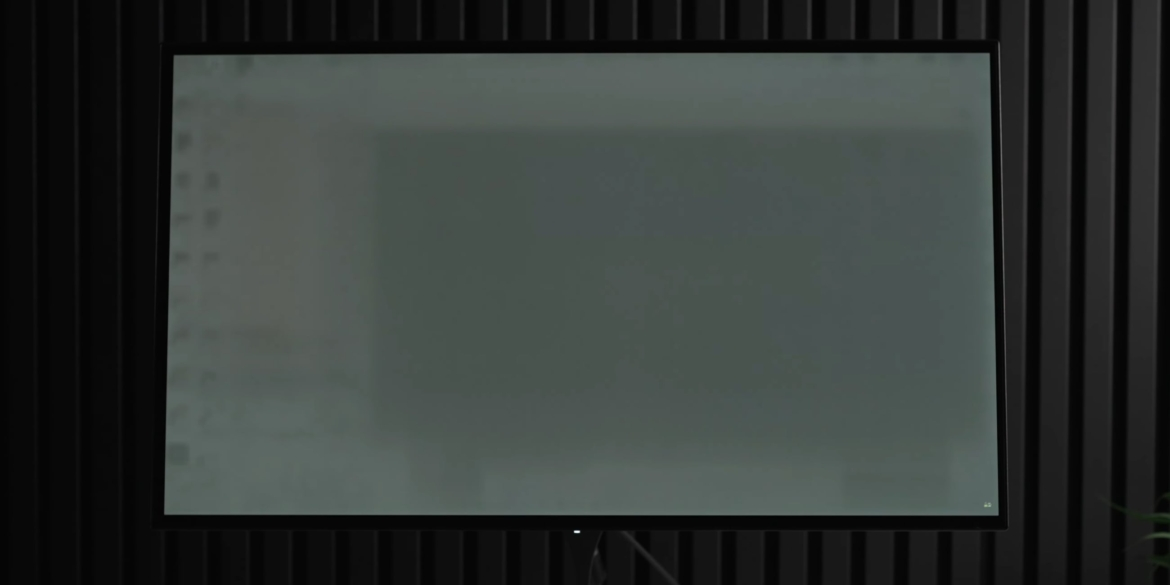
However, all LCD displays, whether basic LED or advanced mini-LED, have two key advantages over organic light-emitting diodes. The first is durability. LED matrices are physically immune to burn-in . Static elements such as news banners, operating system interfaces, or health bars in games can be displayed on them for days without the risk of permanently imprinting them.
The second advantage is working in a bright room. Thanks to its powerful backlight, mini-LED produces enormous peak brightness, easily overpowering daylight from a window and sun glare. OLEDs look washed out in such conditions. In contrast, conventional LED screens seem like a budget compromise: they're inferior to OLEDs in picture quality, and mini-LEDs in brightness, but still beat out OLEDs in price and reliability.
A regular LED is still good if:
Another critical factor is the type of LCD panel itself, beneath which the backlight is located. When paired with a VA panel, mini-LED displays maximize their potential, as these panels have high native contrast. If mini-LED displays are combined with IPS or ADS panels, viewing angles will be wider, but due to the low contrast, a gray tint may still appear around white text or the cursor in the dark.
Finally, the TV's software and processor play a major role. Simply installing thousands of tiny LEDs isn't enough—they also need to be controlled quickly and precisely. If signal processing algorithms are slow or inaccurate, the backlight will lag behind frames in fast-paced movies and games, creating ghosting and flickering. This can't be determined from specifications, so it's best to watch reviews for real-world scenarios.
What are LEDs and mini-LEDs?
Unlike QLED and OLED displays, LED and mini-LED technologies rely on backlighting, so they can be compared directly. In both cases, LED stands for light-emitting diode, or a standard light-emitting diode. The liquid crystal display (LCD) itself cannot emit light, so it requires a backlight source to illuminate the pixels. This is what LEDs do.In budget models, they are placed along the edges of the case (Edge LED), which results in a thin profile but also backlight bleed in the corners. In more expensive models, the diodes are distributed in even rows behind the matrix (Direct LED). And in advanced LED displays, FALD (Full Array Local Dimming) backlighting is used, which can turn off groups of diodes in dark scenes. Due to the large size of the LEDs, these zones are relatively small, so gray halos still appear around bright objects on a dark background.
Mini-LED technology uses the same diodes, only tens of times smaller (approximately 0.1–0.2 mm). This allows for thousands of diodes to be placed in the same matrix area, increasing the number of independent dimming zones to hundreds or even thousands. Essentially, it's the same FALD carpet backlighting, but due to the density of the elements, it controls the light much more precisely, virtually eliminating glare around bright objects.
What is the difference between LED and mini-LED?
Reducing the size of diodes and increasing the number of zones yields quite tangible practical results. Putting aside complex terminology, it all comes down to three key factors: black depth, accuracy in handling high-contrast scenes, and brightness headroom. This difference is most noticeable when watching movies in a dark room and playing HDR games on consoles or PCs.| Criterion | Regular LED | mini-LED |
|---|---|---|
| Depth of black | Closer to dark gray due to constant backlighting | Deep blacks thanks to zone switching |
| Halos around objects | Noticeable blurry halos around text and highlights | Minimal or none |
| Peak brightness | A modest 400-600 nits, which is not enough for HDR | Up to 1,500–3,000 nits, full-color, vibrant HDR |
LED and mini-LED vs OLED
When comparing LED and mini-LED, OLED displays inevitably come to mind. Their main advantage is the absence of a backlight as such. In these panels, every single pixel lights up, and if a 4K monitor should display black, eight million pixels simply go blank. No mini-LED, with its thousands of zones, is capable of such precision, so OLED remains the benchmark in contrast and viewing angles.However, all LCD displays, whether basic LED or advanced mini-LED, have two key advantages over organic light-emitting diodes. The first is durability. LED matrices are physically immune to burn-in . Static elements such as news banners, operating system interfaces, or health bars in games can be displayed on them for days without the risk of permanently imprinting them.
The second advantage is working in a bright room. Thanks to its powerful backlight, mini-LED produces enormous peak brightness, easily overpowering daylight from a window and sun glare. OLEDs look washed out in such conditions. In contrast, conventional LED screens seem like a budget compromise: they're inferior to OLEDs in picture quality, and mini-LEDs in brightness, but still beat out OLEDs in price and reliability.
Which is better: LED or mini-LED?
Choosing between standard LEDs and advanced mini-LEDs essentially comes down to balancing your needs, room conditions, and budget. Paying extra for expensive micro-LEDs isn't always necessary.A regular LED is still good if:
- Your budget is limited, or you're looking for a second screen—for example, for the kitchen, summer house, or nursery.
- A TV is bought mainly for background viewing of broadcast channels or YouTube videos.
- The screen is placed in a constantly lit room, where the benefits of deeper blacks and higher contrast will be less noticeable.
- You like to watch movies and TV series in the evenings with the lights off and want to see deeper blacks instead of grayish ones.
- Whether you need full HDR for movies or a modern display for gaming on PC, PS5, or Xbox Series X.
- The room is very bright, with large windows, and a high supply of brightness is needed to combat glare.
- I'd like to get closer to OLED in terms of contrast, while maintaining a high brightness reserve and without worrying about matrix burn-in.
What else is important to know
The "mini-LED" label on the box alone doesn't guarantee a perfect picture. Picture quality directly depends on the number of dimming zones. Inexpensive TVs may have only a couple hundred—which is better than traditional LED, but halos around very bright objects may still be noticeable. A truly vibrant and contrasty picture requires 1,000 independent zones or more, especially on larger screens over 65 inches.Another critical factor is the type of LCD panel itself, beneath which the backlight is located. When paired with a VA panel, mini-LED displays maximize their potential, as these panels have high native contrast. If mini-LED displays are combined with IPS or ADS panels, viewing angles will be wider, but due to the low contrast, a gray tint may still appear around white text or the cursor in the dark.
Finally, the TV's software and processor play a major role. Simply installing thousands of tiny LEDs isn't enough—they also need to be controlled quickly and precisely. If signal processing algorithms are slow or inaccurate, the backlight will lag behind frames in fast-paced movies and games, creating ghosting and flickering. This can't be determined from specifications, so it's best to watch reviews for real-world scenarios.