




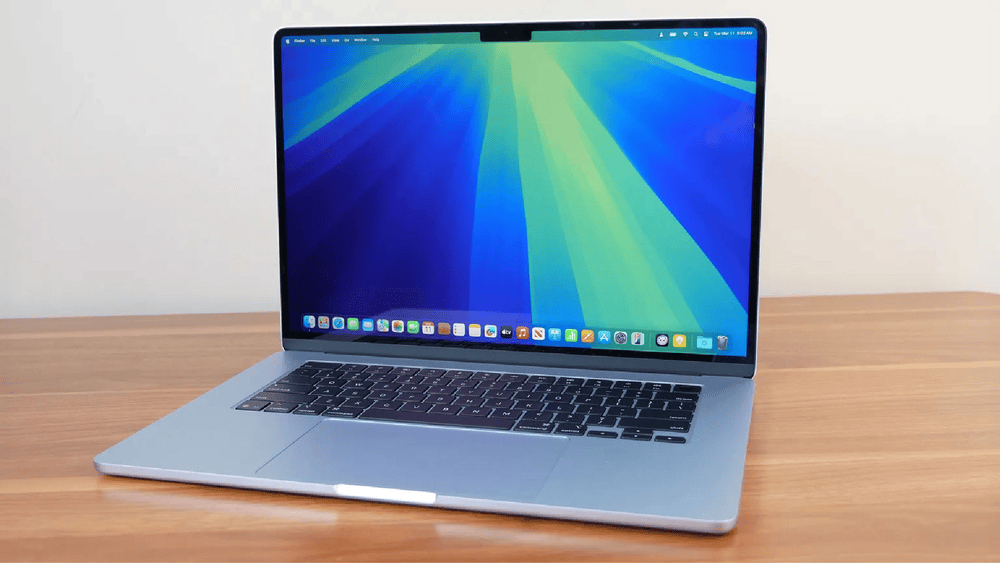


Choosing between a MacBook Air and a MacBook Pro can be surprisingly confusing, especially for first-time Apple buyers or anyone upgrading from an older Mac. Part of the confusion comes down to silicon: both laptops — and even the iPad Pro — run on the same family of M-series chips. With the M5 generation, for instance, the iPad Pro, MacBook Air, and MacBook Pro all ship with variations of the same M5 processor.
So what actually separates them? Mostly the cooling system. The MacBook Pro has a built-in fan for active cooling, while the MacBook Air relies entirely on passive cooling — no fan, no moving parts, and a noticeably thinner chassis as a result. That naturally raises a question: if there’s no fan pulling heat out of the machine, how does the Air avoid overheating, and can it really keep up with the Pro?
Short answer: yes, for most workloads. The Air’s internal design channels heat away from the chip and into its aluminum enclosure efficiently enough to match the entry-level MacBook Pro in peak benchmark scores. Everyday users, video editors, and even people running local AI models or graphically demanding games on the Air will get performance that’s nearly indistinguishable from the Pro — at least in short bursts. The catch shows up during sustained, heavy workloads: once passive cooling can no longer dissipate heat fast enough, the chip throttles itself to keep temperatures in check, and performance dips.
The Engineering Behind Apple’s Fanless Cooling
Fanless MacBook Airs are a relatively recent development. Every Intel-powered MacBook Air sold before late 2020 had a fan. That changed with the arrival of Apple’s first in-house chip, the M1, which debuted in both the MacBook Air and MacBook Pro that same year.
The M1’s efficiency-per-watt was the real breakthrough — it generated little enough heat that Apple felt confident stripping the fan out entirely. At the time, Apple marketed the new Air as a completely silent machine regardless of workload, crediting the chip’s efficiency for making that possible.
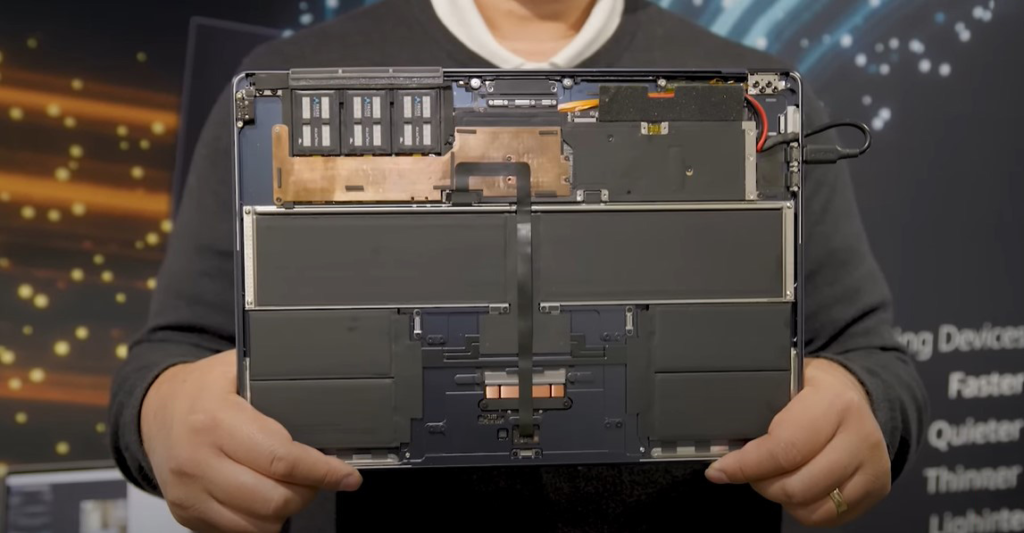
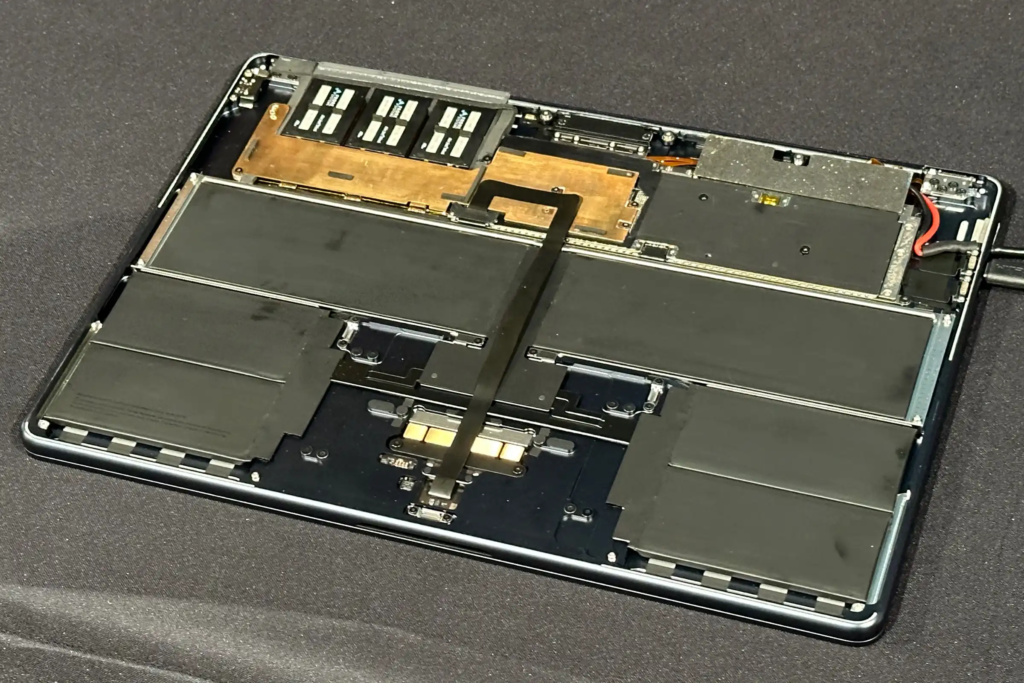
Teardown specialists at iFixit later confirmed how Apple pulled this off mechanically. Instead of a fan and heat pipe assembly, the M1 Air uses a solid aluminum block that sits directly against the processor, absorbing heat and spreading it toward the cooler edges of the case. That block then makes direct contact with the Air’s aluminum shell, effectively turning the entire body of the laptop into a giant heat sink. As a side benefit, iFixit pointed out that removing the fan also made the machine easier to service, since there’s no fan assembly to clean out or replace over the years.
Reviewers at the time were impressed that a fanless laptop could perform as well as it did, and Apple has stuck with the formula ever since — carrying it through the M2 redesign and into every Air generation released since.
Do You Actually Need a Fan? M5 Benchmarks Compared
The current M5 MacBook Air keeps the same fanless approach while pushing performance well beyond earlier generations. Geekbench 6 results make the comparison concrete:
| Device | Single-Core | Multi-Core | Metal (GPU) |
|---|---|---|---|
| 13″ M5 MacBook Air | 4,197 | 16,997 | 64,817 |
| 14″ M5 MacBook Pro (base) | 4,223 | 17,471 | 76,103 |
| 11″ M5 iPad Pro | 4,139 | 15,573 | 74,603 |
The CPU scores are nearly identical across all three devices, which makes sense given they share the same core architecture — though configurations differ slightly (the iPad’s M5 runs 9- or 10-core CPU variants, while the MacBooks use the full 10-core version, and the 13-inch Air’s GPU tops out at 8 cores versus 10 on the Pro).
The GPU gap tells a different story, though, and it’s really a story about test duration rather than raw silicon. Geekbench runs are short, so the Air’s passive cooling never gets pushed to its limit during the benchmark. Real-world, sustained gaming is a different test entirely. Tech reviewer Geekerwan ran back-to-back comparisons (reported by NotebookCheck) showing the fan-equipped M5 MacBook Pro pulling roughly 40% ahead of the Air in Cyberpunk 2077 frame rates once both machines were under sustained load. In Elden Ring, the Air’s frame rate visibly dropped as thermal throttling kicked in — something the Pro’s active cooling simply doesn’t have to deal with.
Bottom Line: Which One Should You Buy?
Cooling design shouldn’t be the only thing you weigh when picking between an Air and a Pro, but it’s an important one. If your workload is writing, browsing, streaming, coding, or even moderate photo and video editing, the fanless Air will feel just as fast as the Pro almost all the time — and it’ll do it silently. If you’re planning to game for hours or run sustained, CPU/GPU-intensive tasks like long export queues or heavy 3D rendering, the Pro’s active cooling will hold its clock speeds longer and deliver more consistent performance under pressure.
Worth noting: enthusiasts have found ways to squeeze more sustained performance out of fanless Apple laptops by improving airflow and thermal contact after the fact — a trick that’s been documented on budget fanless machines like the MacBook Neo, and one that curious Air owners may want to look into if they’re chasing extra headroom.