


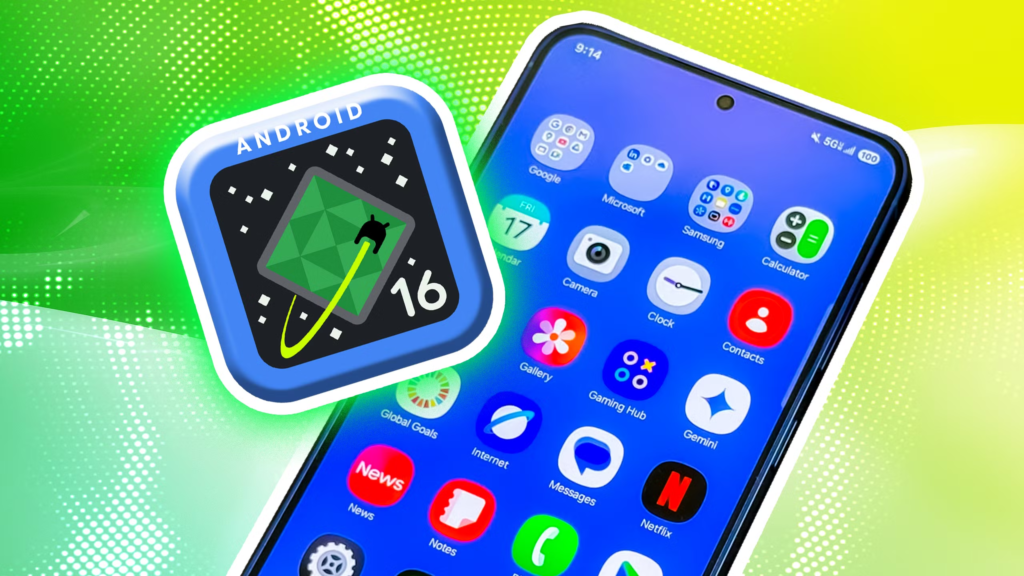
Android 16 isn’t just another routine version bump. It marks a noticeable shift in how Google plans to evolve Android going forward — with faster releases, smarter security, stronger productivity tools, and the biggest visual refresh in years.
- Android 16 Release Date and Availability
- Android 16 Price
- What Makes Android 16 Different
- The Most Important Android 16 Features
- A Major UI Refresh: Material 3 Expressive
- Deeper Personalization Options
- Smarter, Cleaner Notifications
- Live Progress Notifications
- Battery Health Information (Long Overdue)
- Stronger Security and Scam Protection
- Desktop-Style Multitasking
- Edge-to-Edge Apps by Default
- App Settings Integrated Into System Settings
- Faster App Installs
- Lock Screen Widgets Return (In a New Way)
- Better Media and Camera Features
- Improved Accessibility and Family Tools
- Android 16 Supported Devices
- Final Thoughts
Rather than one massive annual overhaul, Android 16 introduces a more flexible update strategy, delivering features as soon as they’re ready. The result is an OS that feels more modern, more adaptive, and far more polished.
Here’s a clear breakdown of what Android 16 brings to the table — and why it’s worth paying attention to.

Android 16 Release Date and Availability
Android 16 (internally codenamed Baklava) officially launched on June 10, 2025, making it Google’s earliest major Android release in several years.
The update is rolling out in stages:
- Pixel phones receive it first
- Other manufacturers follow later in 2025
If your device is eligible, you’ll see the update notification in Settings → System → Software update.
Android 16 Price
Like all Android version updates, Android 16 is completely free for supported devices.
What Makes Android 16 Different
Android 16 represents a strategic change. Instead of waiting for a single yearly release, Google will now push smaller, more frequent updates, allowing new features to reach users faster.
This release focuses heavily on:
- Security and privacy
- Multitasking and productivity
- Visual consistency and customization
The Most Important Android 16 Features
A Major UI Refresh: Material 3 Expressive
Android 16 introduces Material 3 Expressive, a more fluid and emotional design language:
- Smoother animations
- More responsive UI elements
- Dynamic color behavior across apps
The system feels livelier without being distracting.
Deeper Personalization Options
Android now gives users more visual control, including:
- Custom icon shapes
- Expanded system themes
- Improved dark mode support for apps that previously lacked it
Smarter, Cleaner Notifications
Notifications get several meaningful upgrades:
- AI-powered notification summaries for quick scanning
- Minimal or expanded lock screen notification views
- App-based notification grouping to reduce clutter
- Notification cooldown, which automatically lowers volume for repeated alerts from the same app
Live Progress Notifications
With Live Updates, Android 16 shows real-time progress for things like:
- Ride-share arrivals
- Food deliveries
- Navigation status
These updates stay visible on the lock screen without overwhelming other notifications.
Battery Health Information (Long Overdue)
Android 16 finally adds a Battery Health page, showing:
- Estimated battery capacity compared to when new
- Usage tips to slow battery wear
This makes long-term device maintenance much clearer.
Stronger Security and Scam Protection
Security is one of Android 16’s biggest priorities:
- AI-powered Advanced Protection detects scam calls, messages, and risky apps
- Auto-hiding of sensitive apps and notifications (expanded from Android 15)
- Wi-Fi location security using Wi-Fi 6 (802.11az) with AES-256 encryption and MITM protection
Desktop-Style Multitasking
Resizable, desktop-style windows are expanding to more devices:
- Run multiple apps side by side
- Resize windows freely
- Especially useful on tablets and foldables
Edge-to-Edge Apps by Default
All apps must now display content edge to edge, with no opt-out:
- Creates a cleaner, more immersive look
- Ensures visual consistency across devices
App Settings Integrated Into System Settings
A new API allows apps to place their settings directly inside Android Settings:
- No more hunting through individual apps
- Centralized control improves usability
Faster App Installs
Android 16 introduces cloud-based compilation, meaning:
- Apps become usable faster after installation
- Less waiting before first launch
Lock Screen Widgets Return (In a New Way)
Widgets are back on the lock screen:
- Displayed in a single vertical column
- Accessed through the screen saver gesture
Better Media and Camera Features
- New APV video codec offers near-lossless quality with up to 20% less storage use
- Supports HDR10/10+, high bitrates, multi-view video, and 4K–8K workflows
- Photo picker blends more naturally into apps and can search cloud media
Improved Accessibility and Family Tools
- Enhanced on-device controls for hearing devices
- Parental Controls now live directly in Android Settings
- Easier access to Google Family Link, screen time rules, and app limits
Android 16 Supported Devices
Pixel Phones Receiving Android 16
- Pixel 6 / 6 Pro
- Pixel 6a
- Pixel 7 / 7 Pro
- Pixel 7a
- Pixel Fold
- Pixel Tablet
- Pixel 8 / 8 Pro
- Pixel 8a
- Pixel 9 / 9 Pro / 9 Pro XL / 9 Pro Fold
- Pixel 9a
Other Brands Expected Later in 2025
- Samsung
- OnePlus
- Motorola
- Nothing
- Oppo
- Xiaomi
Exact rollout dates depend on each manufacturer.
Final Thoughts
Android 16 isn’t about flashy gimmicks — it’s about refinement.
Between smarter notifications, real battery health data, stronger security, desktop-style multitasking, and a cleaner UI, Android 16 feels like a more mature and intentional operating system.
If this release is any indication, Android’s future isn’t just faster updates — it’s better ones.




'%3e%3cg id='Final-Copy-2_2_' transform='translate(1275.000000, 200.000000)'%3e%3cpath class='st0' d='M7.4,12.8h6.8l3.1-11.6H7.4C4.2,1.2,1.6,3.8,1.6,7S4.2,12.8,7.4,12.8z'/%3e%3c/g%3e%3c/g%3e%3c/g%3e%3cg id='final---dec.11-2020'%3e%3cg id='_x30_208-our-toggle' transform='translate(-1275.000000, -200.000000)'%3e%3cg id='Final-Copy-2' transform='translate(1275.000000, 200.000000)'%3e%3cpath class='st1' d='M22.6,0H7.4c-3.9,0-7,3.1-7,7s3.1,7,7,7h15.2c3.9,0,7-3.1,7-7S26.4,0,22.6,0z M1.6,7c0-3.2,2.6-5.8,5.8-5.8 h9.9l-3.1,11.6H7.4C4.2,12.8,1.6,10.2,1.6,7z'/%3e%3cpath id='x' class='st2' d='M24.6,4c0.2,0.2,0.2,0.6,0,0.8l0,0L22.5,7l2.2,2.2c0.2,0.2,0.2,0.6,0,0.8c-0.2,0.2-0.6,0.2-0.8,0 l0,0l-2.2-2.2L19.5,10c-0.2,0.2-0.6,0.2-0.8,0c-0.2-0.2-0.2-0.6,0-0.8l0,0L20.8,7l-2.2-2.2c-0.2-0.2-0.2-0.6,0-0.8 c0.2-0.2,0.6-0.2,0.8,0l0,0l2.2,2.2L23.8,4C24,3.8,24.4,3.8,24.6,4z'/%3e%3cpath id='y' class='st3' d='M12.7,4.1c0.2,0.2,0.3,0.6,0.1,0.8l0,0L8.6,9.8C8.5,9.9,8.4,10,8.3,10c-0.2,0.1-0.5,0.1-0.7-0.1l0,0 L5.4,7.7c-0.2-0.2-0.2-0.6,0-0.8c0.2-0.2,0.6-0.2,0.8,0l0,0L8,8.6l3.8-4.5C12,3.9,12.4,3.9,12.7,4.1z'/%3e%3c/g%3e%3c/g%3e%3c/g%3e%3c/g%3e%3c/svg%3e)


0 comments