





windows 11

  1. How to Install and Use BitLocker on Windows 11 BitLocker is the built-in full-disk encryption tool for Windows and one of the most reliable ways to protect laptops from losing data. Once enabled, it encrypts everything on the drive so that nobody can access your files without your Windows login credentials or a recovery key. If you’ve been...
    • 0 Reacts
    • 19 Views
    • 0 Comments
  2. Windows 11 KB5083769 BitLocker recovery bug and install problems The April 2026 cumulative update for Windows 11 25H2 and 24H2, shipped as KB5083769 (builds 26200.8246 and 26100.8246), introduced a known BitLocker recovery bug affecting a narrow set of managed devices. Microsoft added the known issue to the update's support page after release, and the same...
    • 0 Reacts
    • 49 Views
    • 0 Comments
  3. Microsoft Is Finally Lifting Windows’ 32GB FAT32 Format Limit Summary: Windows 11 Insider builds now let you format FAT32 volumes up to 2TB from the command line, ending a long-standing Windows restriction that never matched FAT32’s real technical ceiling. After roughly three decades, Microsoft is finally loosening one of Windows’ oddest storage-era...
    • 0 Reacts
    • 53 Views
    • 0 Comments
  4. Windows 11 KB5079473: New features, zero-day fixes, and native Sysmon The March 2026 Patch Tuesday release for Windows 11 brings significant feature additions alongside critical security maintenance. Rolling out under build numbers 26200.8037 (for version 25H2) and 26100.8037 (for version 24H2), this package transitions several tools previously restricted to...
    • 1 Reacts
    • 114 Views
    • 0 Comments
  5. Windows 11 build 28020.1685 adds voice renaming and cleaner storage Windows 11 build 28020.1685 is a small Canary Channel update, but it touches two places people use all the time: File Explorer and Storage. The build adds voice typing when you rename files in File Explorer, and it improves the reliability of deleting Windows Update files and the Windows.old...
    • 0 Reacts
    • 95 Views
    • 0 Comments
  6. How to Calibrate Your Monitor the Right Way — The Simple Geekinter Guide If you work in digital advertising, design, photography, or video, proper monitor calibration is a big deal. Calibration makes sure the colors you see on screen are actually accurate. If your display is off, something that looks perfectly natural to you may appear too warm, too cool, too dull...
    • 0 Reacts
    • 665 Views
    • 0 Comments
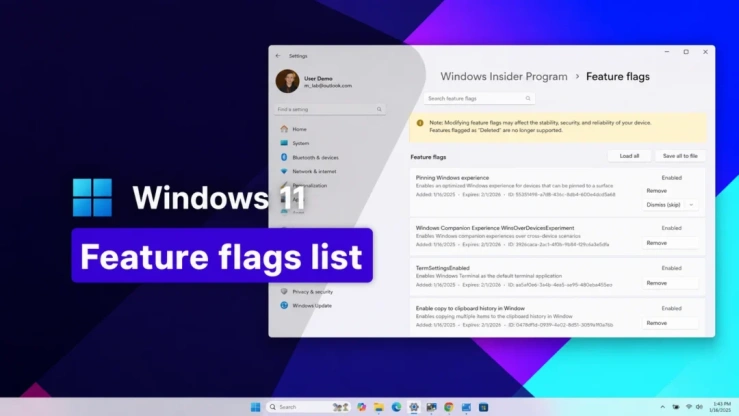
  7. What Is ViVeTool? How to Use It to Enable Hidden Features in Windows ViVeTool is an open-source command-line utility that lets you unlock hidden experimental features on Windows PCs. There is also a GUI version available, which makes it much easier to turn certain Windows features on or off without having to memorize commands. It gives you a way to try out...
    • 1 Reacts
    • 1K Views
    • 1 Comments
  8. How to Enable the New File Drag-and-Drop Feature in Windows 11 Microsoft has introduced a new drag-and-drop experience in Windows 11 builds 22635.4950 and 27818.1000. The feature adds a handy tray at the top of the screen, making it easier to drag a file and drop it directly into one of the supported apps shown there. At Geekinter, we like these small...
    • 1 Reacts
    • 912 Views
    • 0 Comments
  9. Windows 11 build 28020.1685 adds voice renaming and cleaner storage Windows 11 build 28020.1685 is a small Canary Channel update, but it touches two places people use all the time: File Explorer and Storage. The build adds voice typing when you rename files in File Explorer, and it improves the reliability of deleting Windows Update files and the Windows.old...
    • 0 Reacts
    • 567 Views
    • 0 Comments
  10. How to Fix the Windows 11 Microsoft Account Sign-In Bug With KB5085516 On March 10, 2026, Microsoft shipped KB5079473 as part of its regular Patch Tuesday cycle for Windows 11 versions 24H2 and 25H2. The update introduced several new features, but it also carried a significant side effect: some users began seeing a "no Internet" error whenever they tried to sign in...
    • 0 Reacts
    • 1K Views
    • 2 Comments
  11. How to Turn Windows 11 Bluetooth Quick Pair On or Off in Seconds Bluetooth pairing on Windows 11 can be much easier when Swift Pair is enabled. Instead of digging through menus every time you want to connect a device, Windows can simply show a pop-up notification the moment a nearby Bluetooth device enters pairing mode. From there, all it takes is a couple...
    • 0 Reacts
    • 432 Views
    • 0 Comments
Top